The best soundbars for your home should match your room, TV connections, and listening priorities, not simply promise the biggest cinematic experience. This guide helps US shoppers compare soundbar types in 2026, from straightforward upgrades to setups with separate speakers. Use the comparisons and buying checklist to build a shortlist; this is a category guide, not a ranking based on hands-on product testing.
Affiliate disclosure: Some links may be affiliate links.
Which soundbar type fits your setup?
Start with the problem you want to solve: unclear speech, limited space, missing bass, or a desire for surround effects. Choose a category around that priority, then verify its connections and placement requirements before buying. These categories overlap, so treat them as shopping routes rather than mutually exclusive technologies.
1. Compact 2.0 or 2.1 Soundbars
Who it suits: Shoppers seeking an uncluttered TV area should start here. Consider this category for a bedroom or smaller living room, with an entry-level to midrange budget in mind.
Check HDMI eARC availability, other ports, and compatibility with your TV's audio output. If a separate subwoofer is included, identify a placement spot before ordering. Test whether the remote control handles everyday volume changes comfortably, and avoid blocking the TV's remote sensor. Read the manual for mounting and connection requirements; review the US warranty before purchase. Optical connections can have different remote-control requirements from HDMI connections. (support.sonos.com)
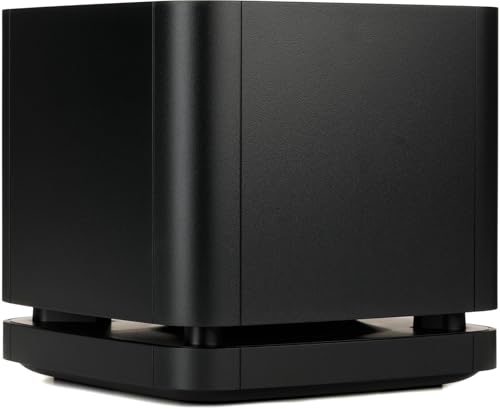
2. Soundbars with a Separate Wireless Subwoofer
Who it suits: Put this category on your shortlist if bass impact matters and you can accommodate another enclosure. Plan around a midrange budget, while comparing the complete package rather than the bar alone.
Check HDMI eARC, available ports, TV compatibility, and remote control access to bass adjustment. For your room size, consider where the subwoofer can sit without obstructing walkways. Wireless does not mean power-free: a wireless subwoofer may still require an outlet. Read the manual for placement, pairing, and reconnection instructions, and verify that the warranty covers both components. (samsung.com)
3. 3.1 or 5.1 Channel Soundbars with Rear Speakers
Who it suits: Movie watchers willing to arrange speakers around their seating should investigate this category. Allow a midrange to premium budget and assess the entire room layout, not just the space beneath the TV.
Verify the package contents: a channel label alone should not be your evidence that rear speakers are included. Check HDMI eARC, ports, TV audio compatibility, and remote control adjustments. Plan rear-speaker locations around the listening position and reserve a subwoofer spot. Consult the manual for wiring and compatible accessories, then check warranty coverage for every supplied component. (support.sonos.com)
4. Dolby Atmos or Height-Effect Soundbars (in General Terms)
Who it suits: Consider this category when overhead effects are a priority and you can accommodate its placement requirements. Approach it with a midrange to premium budget, without assuming every implementation performs alike.
For upward-firing designs, assess ceiling shape and keep the upward sound path clear. Room suitability involves more than floor area. Check HDMI eARC, ports, TV compatibility, and supported audio formats across your playback chain. Plan any subwoofer placement and confirm remote control access to sound settings. Read the installation manual and US warranty before committing; a logo alone cannot establish room suitability. (professional.dolby.com)
5. Dialogue-Focused Soundbars
Who it suits: Prioritize this category if following conversations matters more than dramatic effects. Set an entry-level to midrange shopping budget, then judge the controls and listening experience rather than the feature count.
Speech-enhancement processing can emphasize frequencies associated with voices, but audition it with familiar programming. (support.sonos.com) Check HDMI eARC and other ports against your TV, plus remote control access to dialogue settings. Assess clarity from your normal seat in the intended room. If a subwoofer is supplied, plan its placement and test its balance with speech. Read the manual for adjustment options and examine warranty terms before buying.
6. Small-Room or Apartment Soundbars
Who it suits: This is a useful shopping route for renters, shared-wall households, and close seating arrangements. Start with an entry-level to midrange budget, prioritizing controllability over an ambitious speaker package.
Look for adjustable bass and night listening settings; some night modes reduce loud effects while enhancing quieter sounds. (sonos.com) Check HDMI eARC, ports, TV compatibility, and whether the remote control provides convenient access to those settings. Match placement to your room size and furniture. If considering a separate subwoofer, plan where it can go before buying. Read the manual for installation restrictions and confirm US warranty support.
7. Soundbars with HDMI eARC
Who it suits: Start here if connectivity and supported TV audio formats drive your purchase. Treat budget as flexible: compare the connection requirements first, then decide which additional features justify spending more.
HDMI eARC can carry higher-bandwidth audio from a compatible TV to a soundbar. However, verify support on both devices rather than assuming an HDMI socket is sufficient. (hdmi.org) Check additional ports, TV passthrough requirements, and remote control behavior. Separately assess room size and any subwoofer placement needs. Read both manuals for configuration instructions and confirm the soundbar's US warranty; eARC describes a connection feature, not a complete listening experience.
8. Budget Basic Soundbars
Who it suits: Choose this shopping route when you want a straightforward setup and a restrained entry-level budget. Keep your must-have list short, but do not compromise on compatibility.
Check whether HDMI eARC, HDMI ARC, or optical matches your TV; never assume an adapter preserves every function. Optical connections may change how remote control works. (support.sonos.com) Consider the intended room size, listening distance, and where any included subwoofer would sit. Read the manual before checkout to identify required cables and setup steps. Compare warranty terms alongside the complete purchase cost when evaluating affordable soundbars, rather than treating the lowest advertised price as the whole decision.
Soundbar Type Comparison
Use this table to narrow your shopping route. Budget labels are planning suggestions, not verified market-price bands; confirm individual features in the product manual.
| Soundbar type | Shopping priority | Budget approach | Main check |
|---|---|---|---|
| Compact 2.0 or 2.1 | Uncluttered setup | Entry-level to midrange | TV clearance |
| With separate wireless subwoofer | Separate bass component | Midrange | Subwoofer placement and power |
| 3.1 or 5.1 with rear speakers | Surround layout | Midrange to premium | Included rear speakers |
| Dolby Atmos or height-effect | Height presentation | Midrange to premium | Room and playback compatibility |
| Dialogue-focused | Speech priority | Entry-level to midrange | Accessible dialogue controls |
| Small-room or apartment | Controlled listening | Entry-level to midrange | Bass and night settings |
| HDMI eARC | Connection requirements | Flexible | Compatibility at both ends |
| Budget basic | Essential functions | Entry-level | Complete setup cost |
Key Features Checklist
Before comparing top soundbars, turn your requirements into a pass-or-fail checklist:
- [ ] TV connection: Confirm the exact audio output available on your television.
- [ ] HDMI eARC and ports: Check required connections for your TV and external devices.
- [ ] Room layout: Identify the listening position, mounting location, and unobstructed speaker paths.
- [ ] Subwoofer placement: Reserve floor space and verify power requirements.
- [ ] Remote control: Confirm convenient volume, input, dialogue, and bass adjustment where needed.
- [ ] Package contents: Verify speakers, cables, brackets, and other necessary accessories.
- [ ] Manual: Download it before purchase and review the installation process.
- [ ] Warranty and returns: Check US coverage, seller eligibility, return conditions, and support access.
FAQ
How should I use soundbar reviews when comparing these categories? Look for disclosed test methods, room descriptions, and connection details. Favor observations relevant to your priorities over an unexplained overall score. Separate hands-on findings from descriptions copied from a specification sheet.
Should I evaluate a soundbar with my own programming? Yes. During the return window, try familiar dialogue, a busy action scene, and music you know. Keep the listening position and volume reasonably consistent when comparing settings, and note which changes actually help.
What should I do if voices and pictures seem out of sync? Consult the TV and soundbar manuals for audio-delay settings and troubleshooting. Some systems provide a lip-sync adjustment, but follow the instructions for your particular connection rather than changing settings at random. (sonos.com)
Can I add rear speakers later? Only assume expansion is possible when the manufacturer explicitly documents compatible accessories. Compatibility can be restricted within a product family, so confirm the exact supported pairing before purchasing additional speakers. (support.sonos.com)
Use this guide from hometheaterspace.com to build a shortlist around your room, TV, and listening priorities.